Suppose you have indicated that an expense is Recurring, for example the invoice you receive for collecting the rent for a commercial space. The various expenses will now be automatically created successively.
However, now you want to stop the automatic creation of these expenses, for example because you have moved to a different location.
Now proceed as follows:
From the Expense Overview page, select the OriginRecurring from column
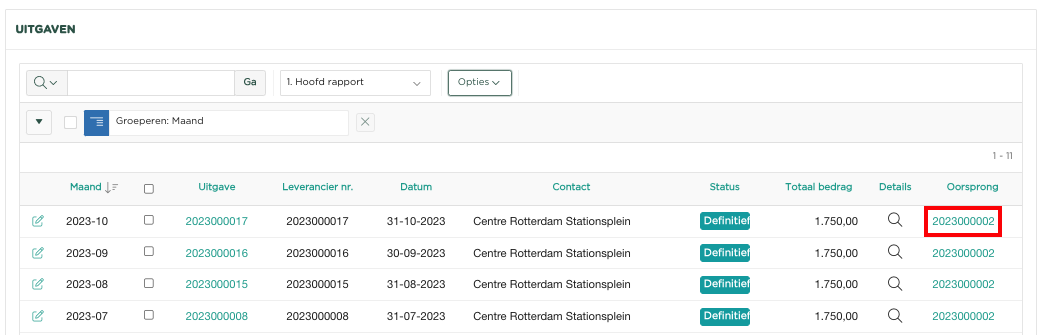
In dit voorbeeld worden een aantal uitgaven getoond, welke allemaal automatisch zijn gecreëerd op basis van de Oorspronkelijke uitgave 2023000002.
Klik nu op de betreffende uitgave, zodat deze wordt geopend:
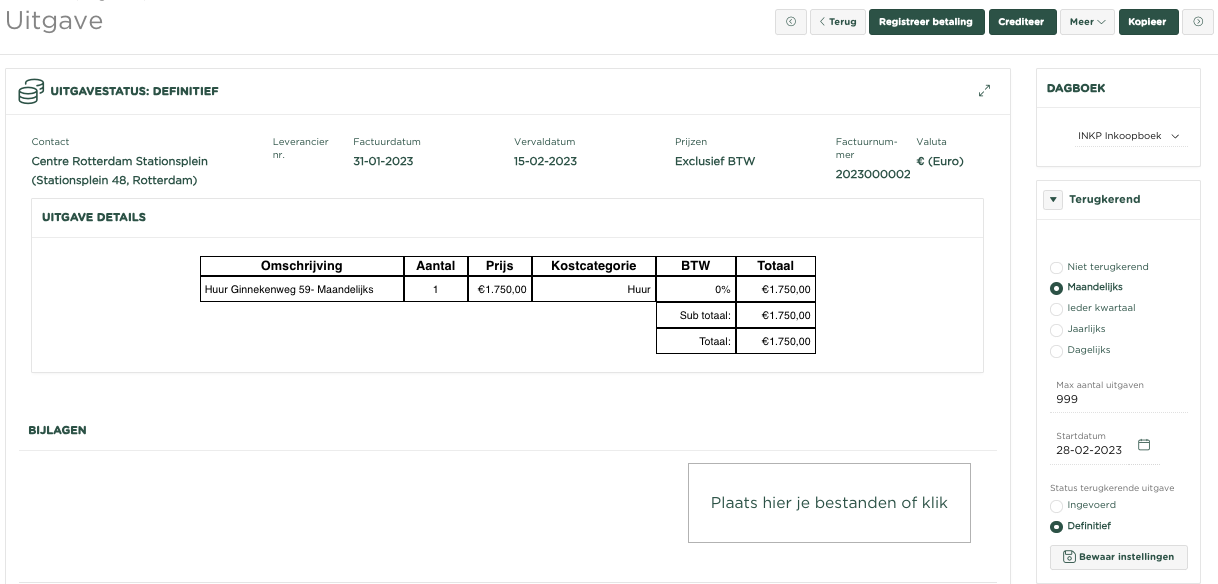
Je ziet de instellingen van het 'Terugkeren' getoond en welke instellingen er destijds zijn gekozen.
Pas deze nu aan, als volgt:
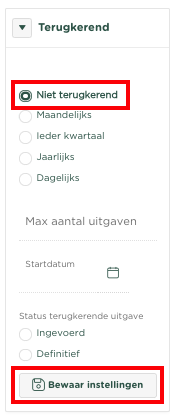
Selecteer Niet terugkerend en druk op 
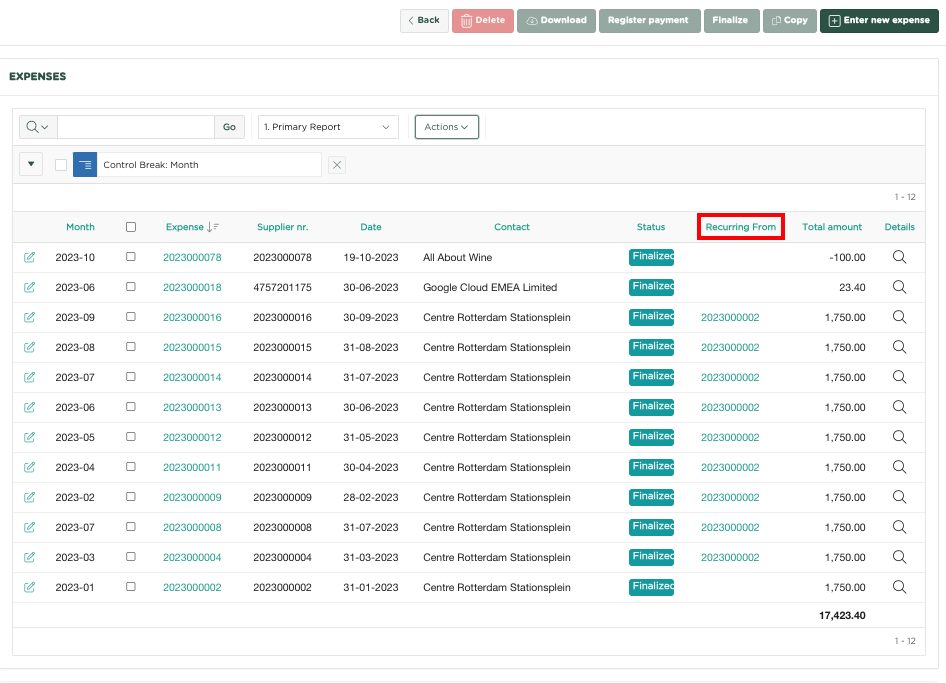
This example shows a number of issues, all of which were automatically created from the Original Issue 2023000002.
Now click on the relevant issue so that it opens:
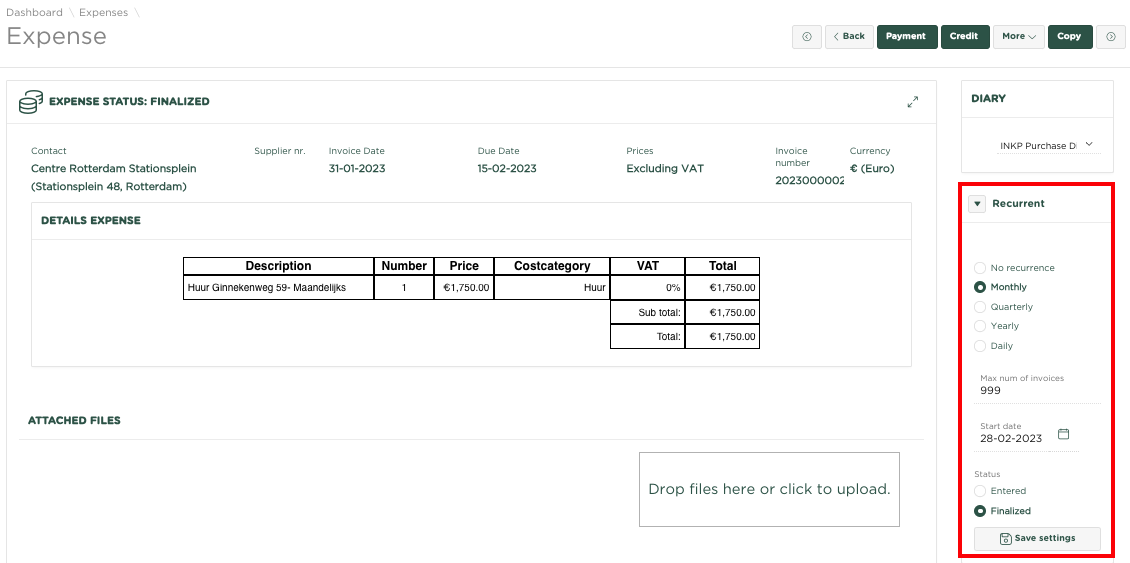
You will see the 'Recurrence' settings shown and which settings were selected at the time.
Now adjust this, as follows:
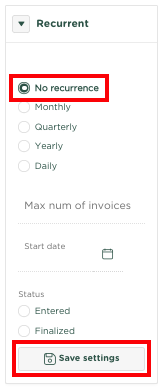
Select No recurrence and press 
No more expenses will now be created automaticallyEr zullen nu geen uitgaven meer automatisch gecreëerd worden