This article describes how to write off an invoice marked as 'uncollectible' (see Uncollectible Invoices). When an uncollectible invoice is written off, the previously paid VAT is reclaimed. However, be aware that this is subject to strict conditions, which you can find on the Tax Authorities' website. If in doubt, consult your bookkeeper or accountant.
Preparation
Ensure that there is a general ledger account into which the write-off of uncollectible invoices can be posted. In the following example, we assume a Dutch chart of accounts and we have created account 1350 - Provision for accounts receivable as a Balance sheet account.
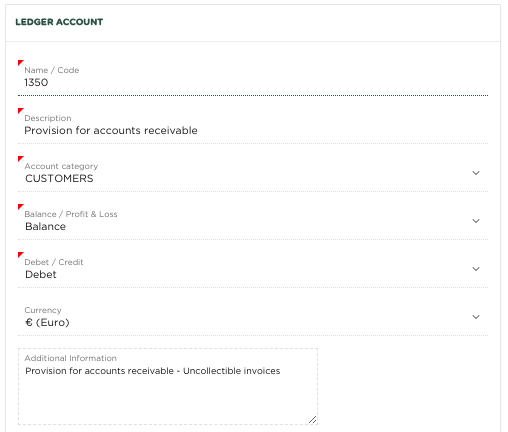
We now need to ensure that the package knows to use this account when writing off uncollectible invoices. To do this, we navigate to the Miscellaneous menu - Company Preferences and select account 1350 - Provision for accounts receivable as the Standard Provision for uncollectible debtors account.
Write off uncollectible invoice
It may happen that a customer is unable to pay an invoice, for example because the company has gone bankrupt. In this situation you will ultimately be left with an uncollectible invoice. We have now indicated the invoice (after having received the first reminder) as Uncollectible (See Uncollectible invoices)
Within the package you can handle this situation as follows:
The Tax Authorities require that you must be able to demonstrate that you have done everything possible to collect the amount (if you ultimately want to be able to reclaim the VAT on the uncollectible invoice). Before we can write off the uncollectible invoice and reclaim the VAT, you would also have to have sent the invoice for a second time.
We now select the invoice in question:
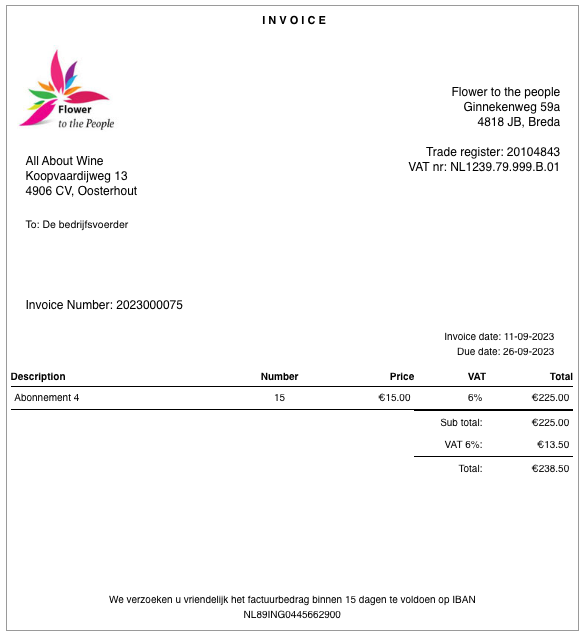
Then from the More menu we select the option Uncollectible
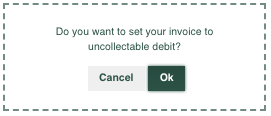
You will now be asked for confirmation
Click OK
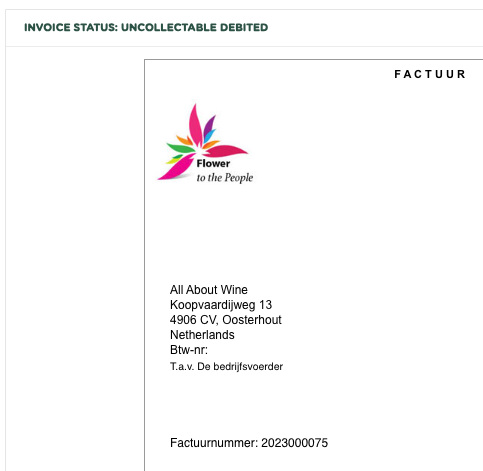
As you can see, the invoice has now been given the status Uncollectible debited
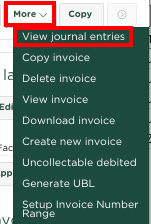
Now if we want to see which entries have been created, we select from the More menu View journal entries
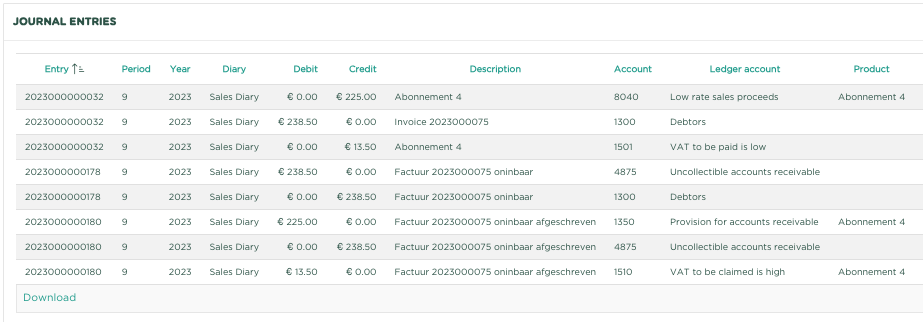
As you can see, account 4875 - Uncollectible accounts receivable is credited with the invoice amount, account 1350 - Provision for accounts receivable is debited with the net invoice amount and account 1510 - VAT To be claimed High is debited with the VAT Receivable amount
Dit artikel beschrijft hoe je een als 'oninbaar' gekenmerkte factuur (zie Oninbare facturen) kunt afschrijven. Tijdens het afschrijven van een oninbare factuur, wordt o.a. de eerder afgedragen Btw weer teruggevorderd. Besef echter wel dat hieraan strikte voorwaarden zijn verbonden, welke je kunt terugvinden op de website van de Belastingdienst. Raadpleeg bij twijfel je boekhouder of accountant.
Voorbereiding
Zorg voor de aanwezigheid van een grootboekrekening, waarop de afschrijving van oninbare factuur kan worden geboekt. In het volgende voorbeeld gaan we uit van een Nederlands rekeningstelsel en hebben we rekening 1350 - Voorziening oninbare debiteuren gecreëerd als Balans rekening.

We moeten er nu voor zorgen dat het pakket weet dat deze rekening moet worden gebruikt bij het afschrijven van oninbare facturen. Hiervoor navigeren we naar menu Diverse - Bedrijfsvoorkeuren en selecteren we rekening 1350 - Voorziening oninbare debiteuren als Standaard tegenrekening oninbare debiteuren.
Afschrijven oninbare factuur
Het kan voorkomen dat een klant niet in staat is een factuur te betalen, bijvoorbeeld omdat de onderneming failliet is gegaan. Je zult in deze situatie dan uiteindelijk met een oninbare factuur blijven zitten. We hebben nu inmiddels de factuur (na deze een eerste keer te hebben aangemaand), als Oninbaar aangegeven (Zie Oninbare facturen)
Binnen het pakket kun je deze situatie als volgt afhandelen:
De Belastingdienst schrijft voor dat je moet kunnen aantonen, dat je er alles aan hebt gedaan om het bedrag te innen (wil je uiteindelijk de Btw van de oninbare factuur kunnen terugvorderen). Alvorens we nu de oninbare factuur kunnen afschrijven en de Btw kunnen terugvorderen, zou je de factuur ook voor een 2e keer moeten hebben gemaand.
We selecteren nu de betreffende factuur:

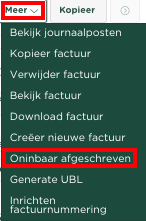
Vervolgens selecteren we vanuit het Meer menu de optie Oninbaar afgeschreven
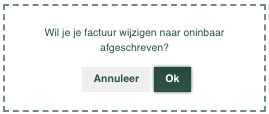
Je zult nu om een bevestiging worden gevraagd
Klik op OK

Zoals je kunt zien heeft de factuur nu de status Oninbaar afgeschreven gekregen
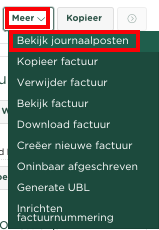
Als we nu willen zien welke boekingen er zijn aangemaakt, selecteren we vanuit het Meer menu Bekijk journaalposten

Zoals je ziet, is de rekening 4875 - Oninbare vorderingen gecrediteerd met het factuurbedrag, is rekening 1350 - Voorziening oninbare debiteuren gedebiteerd met het netto factuurbedrag en is rekening 1510 - Btw te vorderen hoog gedebiteerd met het te vorderen Btw bedrag.