You can share invoices (sales and purchases (expenses)) between Yoursminc and your Banqup account, allowing you to easily send invoices to your customers via the Peppol platform.
To do this, you need to grant Yoursminc access to your Banqup account. Here's how:
After logging in to your Banqup account, select Settings and then Service Accounts.
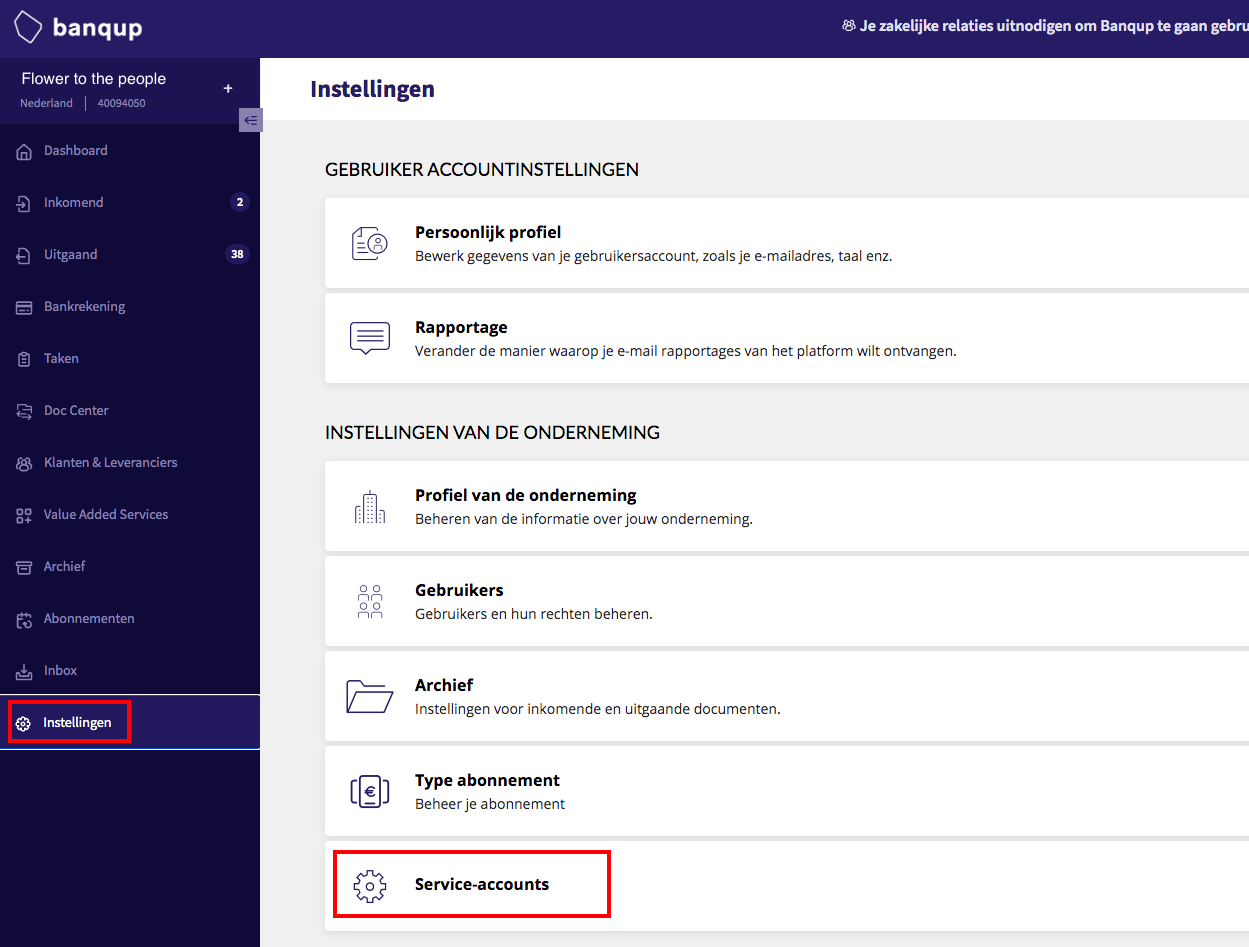
You must now enter the following code to grant access: b34c628e-1c49-4291-8b9f-ec61e3ea9364
It's best to select this series and copy it using Ctrl-C, then paste it into your Banquup session using Ctrl-V.
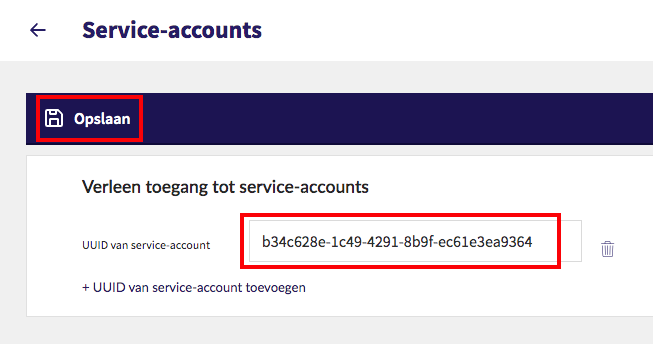
Next press on Save
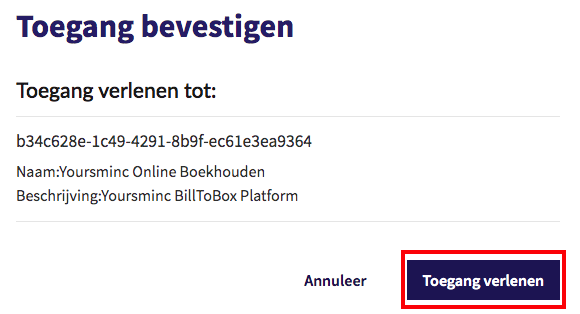
You'll now be asked to confirm access to Yoursminc Online Bookkeeping. Click Grant Access.
You've now granted access, and from now on, invoices (sales and purchases (expenses)) will be shared between Yoursminc and your Banqup account.
Vanaf 1-1-2026 is dit verplicht voor Belgische ondernemers bij het versturen van facturen!