Select the menu option Financial – VAT declaration Belgium
During the creation of invoices and the entry of expenses, the package processes all data within the VAT return. When you navigate to the Belgium VAT return overview, you will see a proposal for the VAT return for the selected period (month or quarter).
Within Yoursminc we distinguish the VAT return into the following statuses:
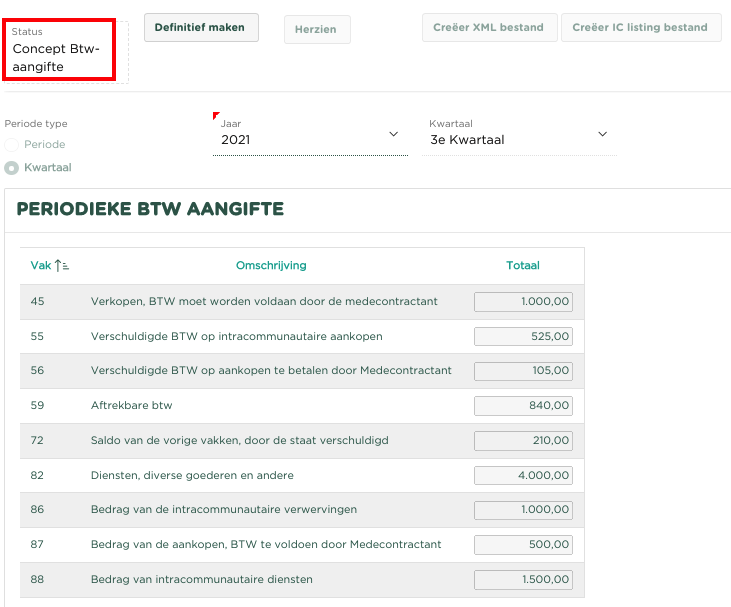
Concept
During the current period/quarter, the VAT declaration is in 'Draft' status. Transactions (creating invoices, entering expenses, processing bank statements and making general entries) can be booked and are automatically processed within the declaration.
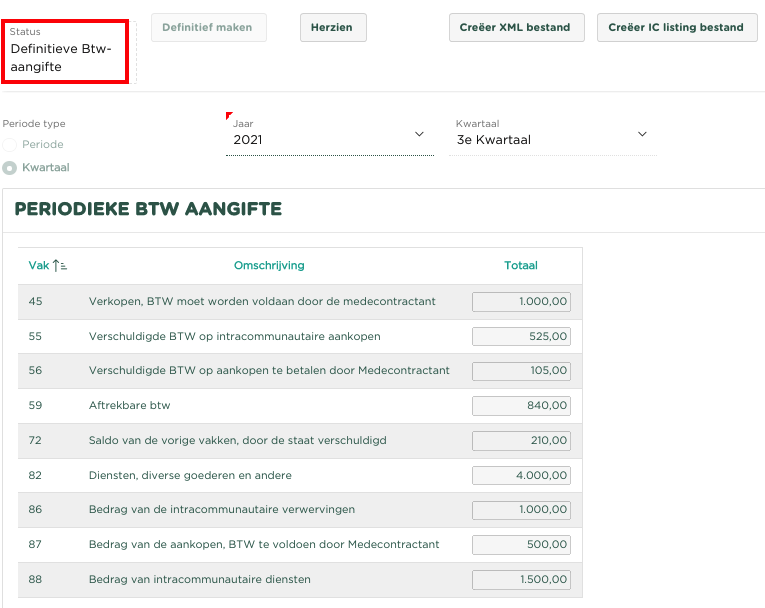
Finalized
When the period/quarter comes to an end and we feel that all bookings have been made, we make the VAT return 'Finalized'. The package will now no longer allow transactions (creating invoices, entering expenses, processing bank statements and making general entries) to be posted within the relevant period/quarter. It is now also possible to download the electronic file with which the VAT return can be submitted electronically.
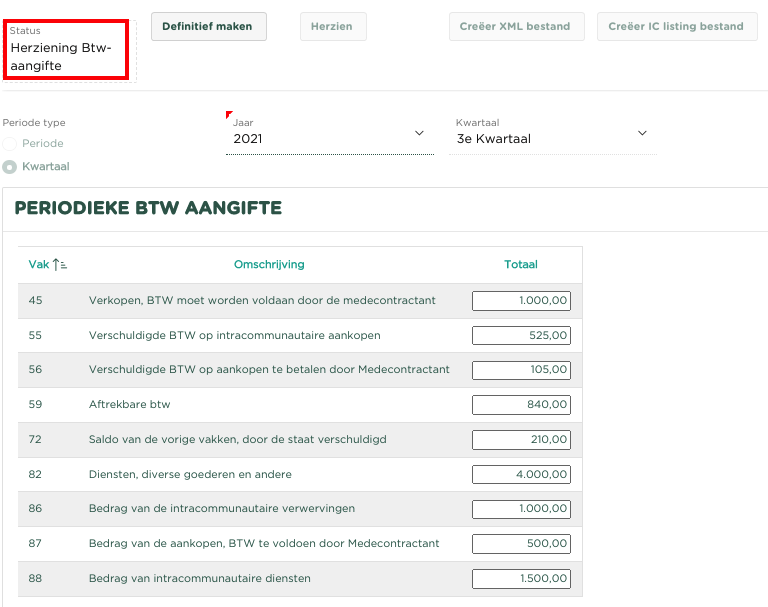
Revised
It could happen that you have forgotten to record another transaction (creating an invoice, entering an expense or processing a bank statement) within the period/quarter for which the VAT declaration is 'Final'. By now choosing [Revise], the declaration will be placed in the status 'Revision VAT return' and these bookings can still be made. After these 'forgotten' entries have been made, it is most logical to make the declaration 'Final' again and download the electronic file again containing the new VAT declaration.
Creëer bestand aangifte
In principe is iedere ondernemer verplicht zijn Btw-aangifte elektronische aan te leveren. Dit dient te worden uitgevoerd m.b.v. de toepassing ‘Intervat’. Informatie hierover is te vinden op https://financien.belgium.be/nl/E-services/Intervat/wat-is-intervat
Het bestand kan alleen worden gecreëerd voor een Btw-aangifte met de status ‘Definitief’.

Creëer bestand IC-Listing (Intracommunautaire opgaven)
Dit betreft de opgave van de intracommunautaire handelingen is een lijst met alle handelingen die uw onderneming met voor de btw geïdentificeerde klanten in andere landen van de EU heeft verricht. Informatie hierover is te vinden op https://financien.belgium.be/nl/E-services/Intervat/wat-is-intervat
U kunt het bestand voor het aangeven van Intracommunautaire handelingen creëren door te kiezen voor [Creëer bestand IC-Listing]
Het bestand kan alleen worden gecreëerd voor een Btw-aangifte met de status ‘Definitief’.
| You may also want to use visual panels to communicate related information, tips or things users need to be aware of. |
Related articles
Related articles appear here based on the labels you select. Click to edit the macro and add or change labels.
|