We've described in several articles under Peppol how you can set up a Banqup account and link it to Yoursminc, but perhaps you find this a hassle and would prefer us to take care of it for you.
That's possible!
Go to the "Miscellaneous" menu.
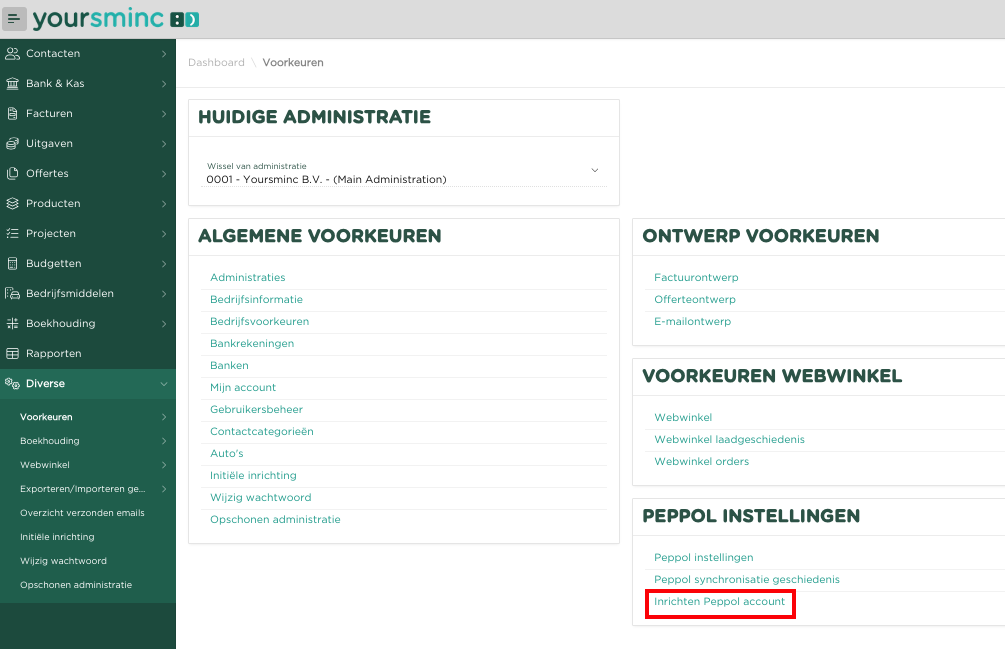
Select Set up Peppol account
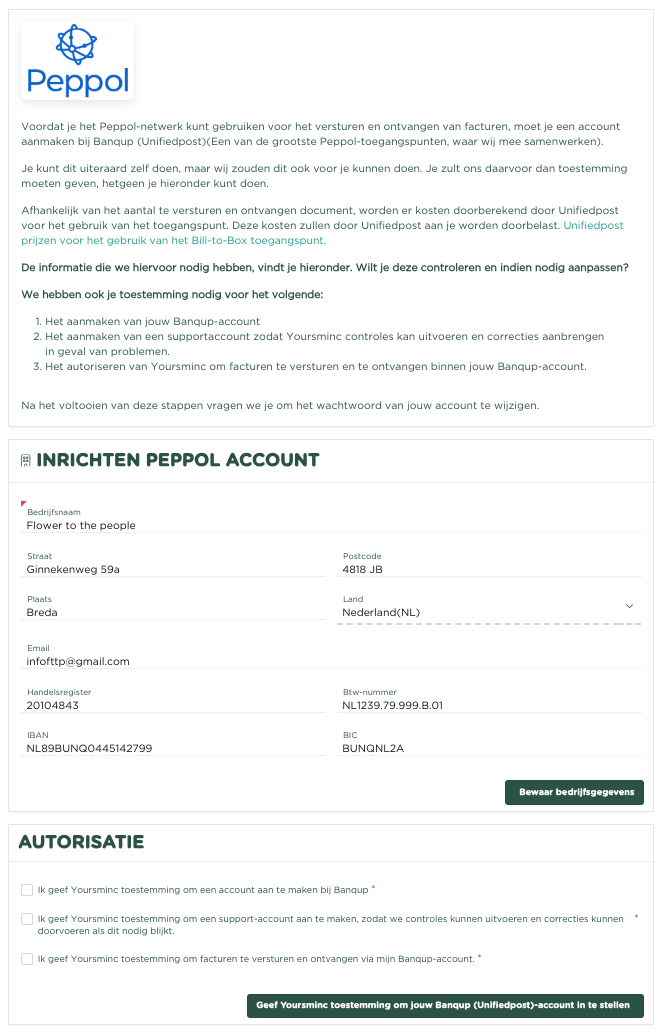
Read the introductory text on the page and check the information we have for your company, and adjust it if necessary. If you need to change anything, click Save Organization details
Then, under AUTHORIZATION, give permission for:
- Creating an account with Banqup (Unifiedpost)
- Creating a support account within your account so we can assist you if necessary
- Sending and receiving invoices through your Banqup account
Next, press on Authorize Yoursminc to setup my Banqup account
You will now receive a confirmation email.
We will now take care of the rest of the setup for you, and we will keep you updated.