After setting up a Banqup (Unifiedpost) account, how does everything work within Yoursminc?
Sales Invoices
Final
When you finalize an invoice, it is processed within your administration (general ledger). In addition, the invoice is now also sent to the Peppol network.
Sent
When sending an invoice within Yoursminc, the invoice will also be presented to your customer via the Peppol network.
Paid
When paying an invoice within Yoursminc, the invoice will also be marked as paid within the Peppol network.
Invoice History
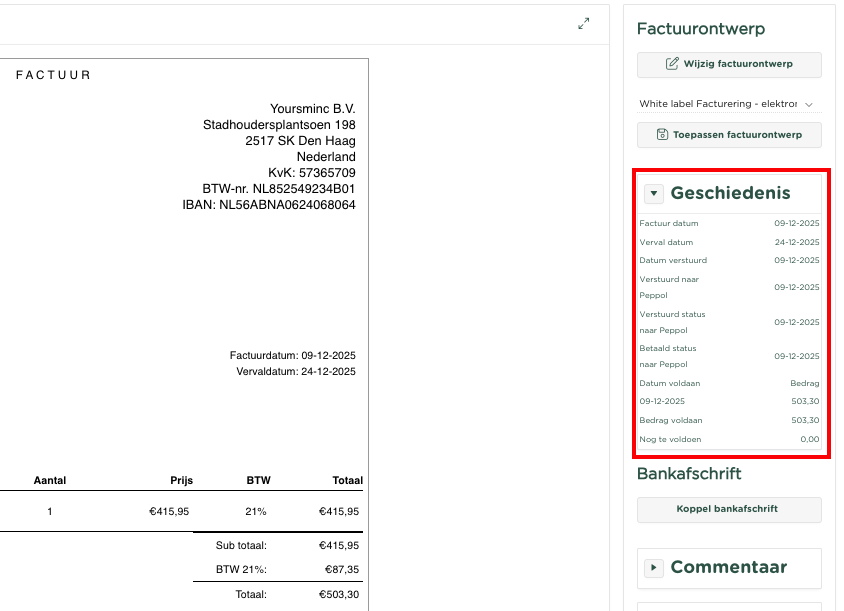
You will also find a report of this in the invoice history, as shown in the following example:
Debtors
Debtors that were not yet known within the Peppol network (your Banqup account) will be created automatically as soon as an invoice is created for this debtor.
Purchase invoices (Expenses)
Periodically (every hour), Yoursminc will check if any invoices have been submitted by your suppliers via the Peppol network. If any are found, they will be automatically entered into Yoursminc and can be found on the Expenses page, just as you are used to.
Please note that at the time of writing, the Expense in this case is still in the "Entered" status. You will first need to assign the Cost Category to each line item within the expense and then Finalize it.
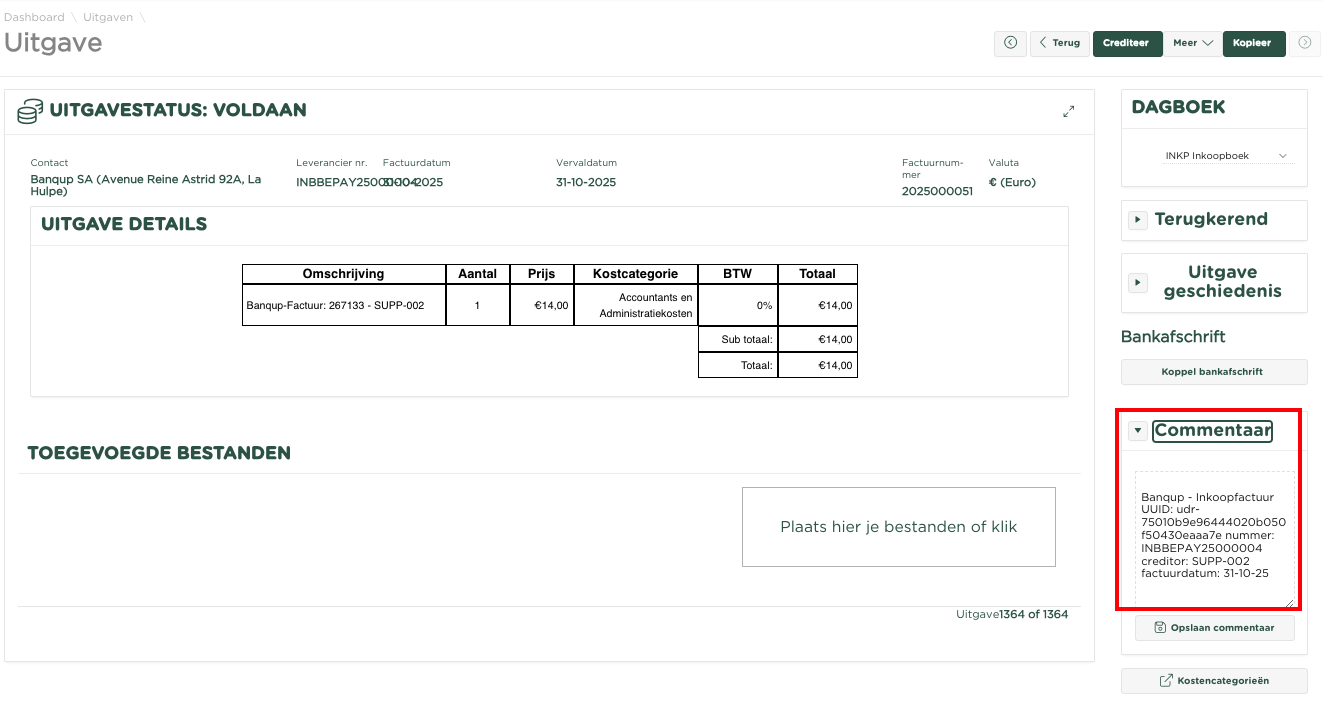
You will be able to see that the Expense originated from the Peppol network, as the following example shows.
Creditors
Creditors who have presented you with one or more invoices via the Peppol network will automatically be included in Yoursminc.